Turn your phone into a powerful LAN camera and stream live video to any device on the same WiFi network.
Personal Lan Camera lets you easily share your camera view in real-time through a simple local IP address. No internet required — everything runs securely inside your local network.
*Supercharge Your Live Streams with OBS*
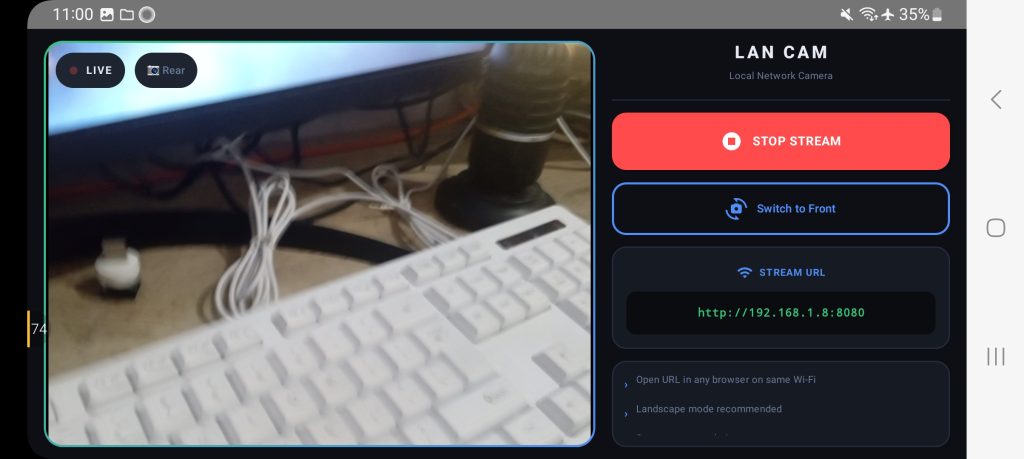
Yes, this app is also powerful for anyone who wants to live stream using OBS Studio. Just add a browser source in OBS, paste the local URL provided by the app, and you’re ready to stream using your phone’s camera — wirelessly and smoothly.
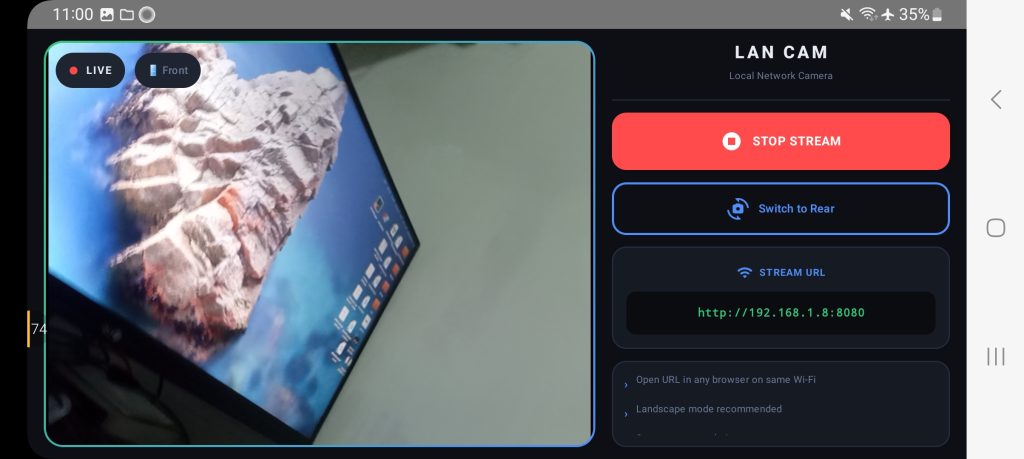
No capture card. No USB cable. Just high-quality, low-latency video from your phone straight into OBS.
**Key Features*
- Live camera streaming via browser
- Works on any device (PC, laptop, tablet, or phone)
- Supports front and back camera
- Simple and lightweight — no complicated setup
- Automatic local IP detection
- Real-time image refresh
- Landscape optimized viewing
- No account, no login required
**How It Works (For Streaming & Monitoring)*
- Open the app
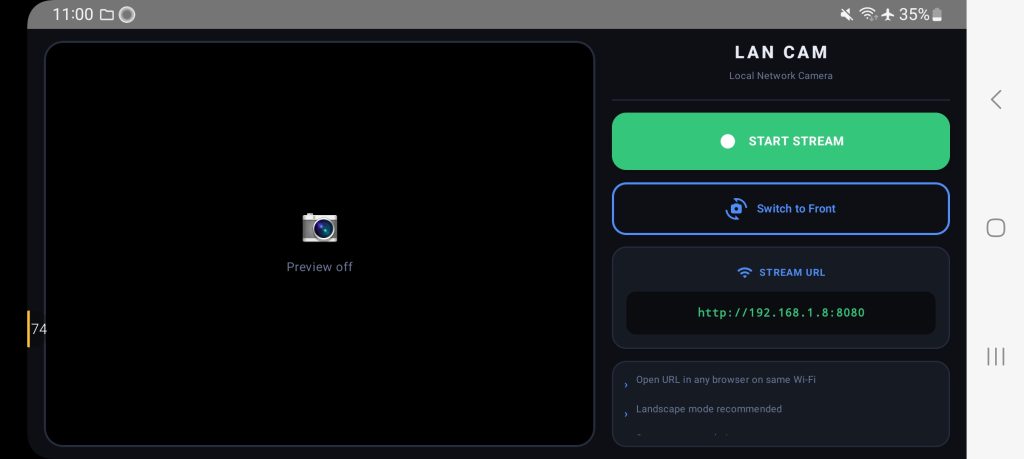
- Tap “Start Streaming”
- Copy the local IP address (e.g., http://192.168.1.5:8080)
- For OBS: Add a new Browser Source → paste the URL
- For any browser: Open the same URL on any device in your WiFi
- Done — instantly view or stream your camera feed
**Privacy First* Your video stream stays inside your local network. No data is ever sent to external servers.
**Use Cases*
- Home monitoring
- Baby monitor
- Pet camera
- DIY CCTV
- Secondary camera for PC
- Live streaming with OBS (Twitch, YouTube, etc.)
- Testing camera feeds
**Why Personal Lan Camera?* Unlike cloud-based apps, this works fully offline in your LAN environment — ensuring low latency, better privacy, and zero internet dependency.
Download now and turn your device into a simple, reliable, and stream-ready LAN camera!